Edge Vision Essentials
A fast model is only one part of a useful camera system. Capture, preprocessing, memory movement and postprocessing all contribute to the time before a robot can act on an image.
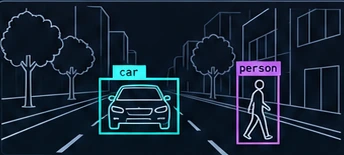
Start with a requirement
Decide what the system must detect and how quickly its answer must arrive. A frame rate is not the same as end-to-end latency. A pipeline can process many frames while returning old results if its queues grow. Record the camera resolution, lighting, operating temperature and acceptable error before choosing a model.
Embedded systems have limited power, memory and cooling. The available compute hardware may be a CPU, GPU or dedicated accelerator. Support for a model's operators and data types matters as much as its advertised operation count.
Measure the whole pipeline
Separate capture, image preparation, inference, postprocessing and delivery of the result. Measure a warmed-up system as well as startup. Report the input shape, software versions, device power mode and the duration of the run. Otherwise a single frames-per-second figure is difficult to reproduce.
For a simple first benchmark, feed a fixed input through the deployed runtime, then repeat with the real camera path. A large difference suggests investigating copies, format conversion or buffering before replacing the neural network. If latency matters, define what happens to frames that arrive faster than they can be processed.
Choose the model and runtime together
A smaller detector may be a practical baseline, but there is no universally best architecture. Check recognition quality on scenes that resemble the intended deployment. Verify that the runtime actually uses the selected accelerator and does not silently execute expensive operations on the CPU.
Preprocessing must match the model's expectations: channel order, resizing, normalization and output interpretation are part of the deployment contract. A model that runs successfully can still produce incorrect results if these details differ from training.
Treat quantization as an experiment
Quantization can represent values with lower precision, which can reduce model storage and improve execution on supported hardware. It also introduces approximation error. Its effect on speed and task accuracy depends on the model, operators and execution provider; smaller numbers do not guarantee a faster pipeline.
For calibration-based workflows, use representative inputs rather than a convenient but unrelated image collection. Compare the converted model against the original on a held-out evaluation set. Preserve the original model and record the conversion recipe so that changes are reversible.
Common practical mistakes
- Host-to-device memory copies: Capturing images into CPU RAM and transferring them to accelerator VRAM adds unnecessary millisecond latencies. Use unified zero-copy DMA memory buffers (V4L2 DMA-BUF).
- Ignoring thermal throttling: An edge SoC can achieve high FPS for 30 seconds before thermal management throttles clock speeds by 40%. Always measure sustained performance at target operating temperature.
- Unbounded queue latency: Letting the image queue buffer multiple frames means the robot plans motions based on perceptions that are hundreds of milliseconds old. Drop old frames rather than buffering them.
- Quantizing on synthetic datasets: Running INT8 Post-Training Quantization (PTQ) without lighting variations from the actual operating environment leads to severe false-negative spikes in low-contrast conditions.
Illustration, not a benchmark. The detection graphic on this site explains bounding boxes. It is not output from a measured CKW hardware deployment, and it does not establish safety or detection accuracy.